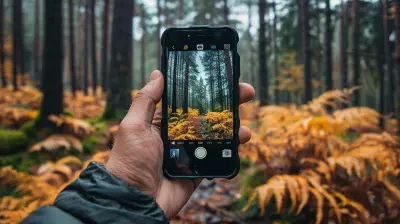
Video Editing Tools That Make Social Media Content Shine
30 July 2026
Lights. Camera. Upload!
Let’s face it—social media isn't just about selfies and memes anymore. It’s a digital stage where creators, brands, and influencers compete for attention. But here's the kicker: If your video content doesn’t sparkle, it drowns in a sea of scrolls. The truth? Good lighting, strong storytelling, and catchy hooks only take you halfway. What really makes your content stand out?
Yep. Stellar video editing tools.
Whether you're a TikTok trendsetter, a YouTube storyteller, or an Instagram reel artist, the right video editing software can turn your raw footage into a masterpiece. Ready to make your content shine brighter than your phone screen at 2 AM?
Let’s dive in—because your creativity deserves a spotlight.
✂️ Why Video Editing Is the Real MVP of Social Media
Before we start name-dropping editing tools, let’s talk about why editing matters. Social media videos are like mini movies. They need rhythm, flow, vibes. A good edit can evoke emotion, spark laughter, or even go viral. A bad edit? It’ll drop faster than your Wi-Fi during a livestream.Plus, we live in a world of 3-second attention spans. If your intro drags or the pacing is off? Swipe. Bye. Gone.
Editing is your secret sauce. It’s the magic that turns boring into binge-worthy.
? Must-Have Features in a Video Editing Tool
Now, not all editing software is created equal. Before you hit download or spend your hard-earned cash, ask yourself:- Does this support high-resolution exports?
- Can I edit vertically for Stories and Reels?
- Are there trendy transitions and filters?
- Is it newbie-friendly or pro-level?
- Mobile, desktop, or both?
Basically, you want a blender. One that mixes creativity, functionality, and ease of use into one smooth digital smoothie.
? Top Video Editing Tools That Make Social Media Content Shine
1. CapCut – TikTok’s BFF with Benefits
Have a love affair with TikTok? CapCut is your ride-or-die. Developed by the parent company of TikTok (ByteDance), CapCut is more than just a companion. It’s a full-powered mobile editor.- What We Love: Auto-captions, templates, trending music, easy crop for vertical formats.
- Best For: TikTok, Instagram Reels, Snap videos.
- Price: Free with optional premium features.
CapCut is smooth, intuitive, and fast. It’s like having an entire edit bay in your pocket. Need captions synced to your voice? Done in seconds. Want to add a trending beat? Just tap. It’s that simple.
2. Adobe Premiere Pro – The Hollywood Hero
If CapCut is your mobile sidekick, Adobe Premiere Pro is your cinematic powerhouse. This one’s for the pros who love to get surgical with their edits.- What We Love: Multicam editing, color grading, audio refining, killer transitions.
- Best For: YouTube content, IGTV, Facebook video ads.
- Price: Subscription-based ($20.99/month for individuals).
It’s not the easiest to learn, but oh boy—once you do? You’re unstoppable. Think of it as the Swiss Army knife of video editing. Perfect for long-form content that requires finesse and polish.
3. InShot – The Mobile Editing Champ
InShot is proof that good things come in small packages. It’s clean, powerful, and made for creators on the go.- What We Love: Smooth trimming, speed adjustments, text overlays, music sync.
- Best For: Instagram Stories, Reels, TikToks, and YouTube Shorts.
- Price: Free with in-app purchases.
With InShot, your videos go from meh to mesmerizing. The interface is super beginner-friendly, and it supports multiple aspect ratios. That means you can shoot one video and repurpose it across platforms. Efficient and slick.
4. Final Cut Pro – The MacBook Magician
Apple fans, this one's for you. Final Cut Pro has been behind some of the most polished video content on the web. It’s optimized for Mac, and it’s lightning-fast.- What We Love: Magnetic timeline, color correction tools, great rendering speed, plugin support.
- Best For: YouTube videos, cinematic short-form content, brand visuals.
- Price: One-time payment of $299.99.
Sure, it’s a big investment. But it pays off in quality and efficiency. Plus, if you're living in the Apple ecosystem, it syncs with everything from iMovie to Logic Pro.
5. Canva Video Editor – Design Meets Simplicity
Canva isn’t just for graphic wizards—it’s a rising star in video editing too. Their video editor keeps things stylish yet streamlined, and it’s perfect for beginners.- What We Love: Drag-and-drop editing, animated templates, brand kits.
- Best For: Instagram ads, promo reels, educational content.
- Price: Free with Pro features ($12.99/month).
Canva helps you stay on-brand without needing a design degree. If you’re more into content creation than post-production? Canva gives you creative freedom on training wheels.
6. iMovie – The Entry-Level Editor with Apple Charm
Sometimes you don’t need bells, whistles, and a full orchestra. You just need clean, simple editing. That's where iMovie shines.- What We Love: User-friendly interface, basic transitions, cinematic templates.
- Best For: Vlogs, family videos, school projects, beginner creator content.
- Price: Free with Apple devices.
Perfect for dipping your toes into the vast ocean of video editing. Think of it as iMovie 101 before moving on to deeper waters.
7. VN Video Editor – Minimal Effort, Maximum Style
VN (a.k.a. VlogNow) is a hidden gem that’s catching fire with mobile creators. It’s sleek, light, and ridiculously powerful for the price (which is free—yes, really).- What We Love: Multi-layer editing, curve speed adjustments, green screen support.
- Best For: Travel vlogs, music reels, aesthetic TikToks.
- Price: Totally Free.
It blends a pro-grade timeline with touch-friendly controls. VN lets you create cinematic vibes right from your phone. No subscriptions, no watermark, no fuss.
? Tips to Make Your Videos Shine Even Brighter
Having the right tool is half the battle. The rest? That’s where strategy and creativity come in.? Keep It Short and Sweet
The thumb doesn’t wait. Grab attention in the first few seconds. Cut the fluff. Get to the point.? Add Music That Moves
A great soundtrack can turn a regular clip into an emotional journey. Use royalty-free tracks or licensed beats that match the mood.✨ Text & Captions Matter
Not everyone listens with sound. Add captions for accessibility—and a bonus SEO boost.? Edit for Each Platform
Square for Instagram, vertical for TikTok & Stories, widescreen for YouTube. One size doesn’t fit all.? Stay On-Brand
Colors, fonts, intros—make it recognizable. You want people to know it's your content before they even see your username.☁️ Cloud Sync Is Your Best Friend
Life happens. Phones crash. Laptops freeze. Make sure your editing tool has cloud sync or at least offers project backups. It’ll save you tears—promise.?️ The Tool Doesn’t Make the Creator—But It Helps
It’s easy to get caught up in tool envy. But remember: even the best software can’t replace vision. Your creativity, your story, your voice—that’s the real engine.Editing tools? They’re just the wheels.
Choose one that matches your style. Experiment. Make mistakes. Learn the rhythms. Because the more you explore, the more your content will shine—platform by platform, frame by frame.
? Bonus Round: Emerging Tools Worth Watching
The world of video editing is constantly evolving. Keep an eye on these up-and-comers:- LumaFusion (iOS): A beast for mobile video editors. Multi-track like a pro.
- Kinemaster (Mobile): Advanced layering made simple.
- Descript (Desktop): Edit videos like a Word doc—yes, really.
Always be experimenting. The next big tool might just be sitting quietly in the App Store.
? Final Thoughts
Social media is noisy. Chaotic. Constant. But your content? It can cut through like a lighthouse in the fog.It’s not about having the fanciest camera or the most expensive gear. It’s about storytelling—and tools that help you tell that story with polish, creativity, and soul.
Use these video editing tools to breathe life into your clips. Make them sing. Make them dance. Make people stop the scroll.
Because when your video shines, the world watches.
all images in this post were generated using AI tools
Category:
Video Editing ToolsAuthor:

Reese McQuillan